
Working with Triggers
Working with Triggers as a developer
Download and Set Up ngrok
- Download ngrok
- Visit ngrok's download page and download the appropriate version for your operating system
- Start ngrok
- Open a terminal and run the following command to start ngrok:
ngrok http http://127.0.0.1:9555- Copy the first address listed under "Forwarding". This will be used as your webhook URL.
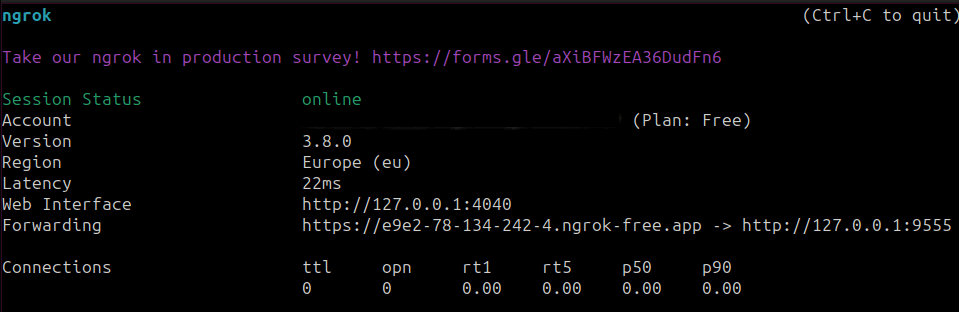
Configure the webhook URL
Where the ngrok URL goes depends on how you run the server.
-
Open Bytechef Codebase:
- Navigate to bytechef/server/apps/server-app/src/main/resources/config.
-
Create Local Configuration:
- Create a file named
application-local.yml. - Note:
application-local.ymlis optional, git-ignored, and corresponds to thelocalSpring profile. Ensure thelocalprofile is activated on Spring Boot startup.
- Create a file named
-
Configure Webhook URL:
- Add the following configuration to
application-local.yml, replacing(first address under Forwarding)with the copied ngrok URL:
bytechef: webhook-url: (first address under Forwarding)/webhooks/{id} - Add the following configuration to
-
Activate Local Profile:
- Ensure that the
localprofile is added to active profiles in your IntelliJ configuration.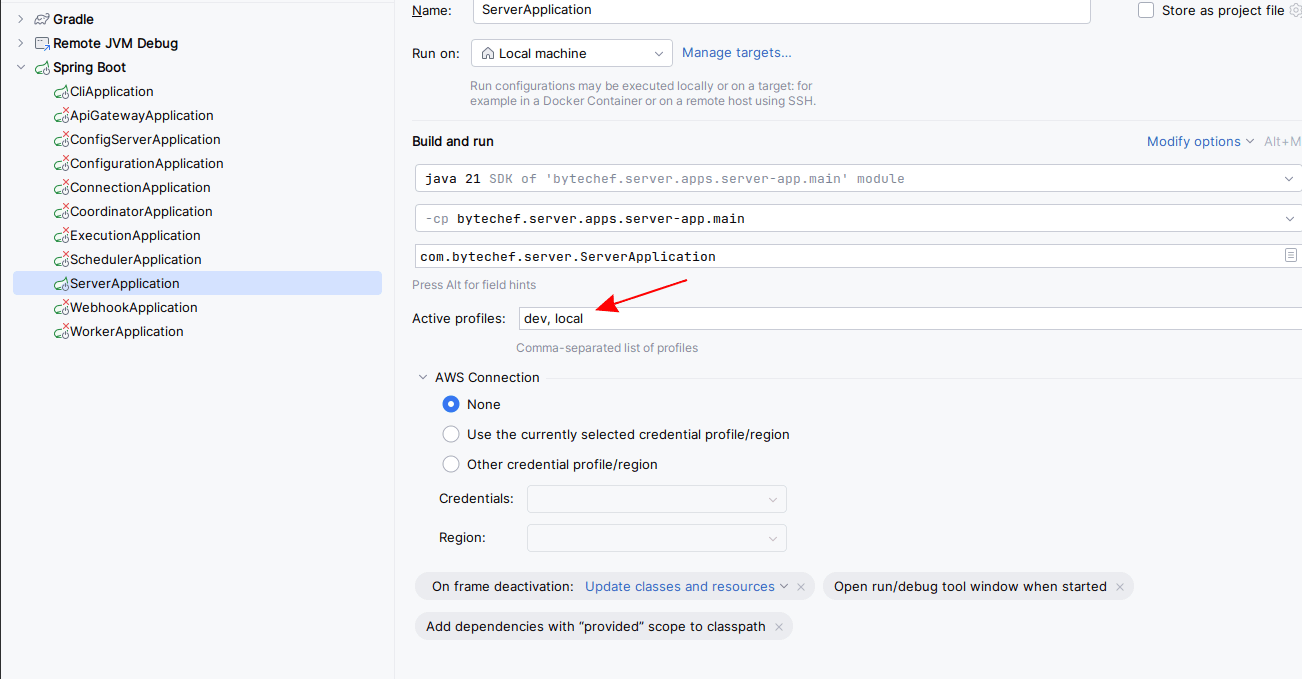
- Ensure that the
-
Start the ByteChef application.
How is this guide?
Last updated on