
Approval Tasks
The in-app inbox for approval requests raised by human-in-the-loop steps - review a request, set its priority and assignee, and respond.
When a workflow reaches a human-in-the-loop step configured with the Approval Task channel, the request lands here. Approval Tasks is the in-app inbox for those requests: the workflow stays paused until someone responds, and responding from this page resumes it exactly as an emailed or Slack link would.
Use this channel when your approvers are already ByteChef users - operations, on-call, team leads - and you would rather not depend on email or Slack delivery reaching them.
The two panes
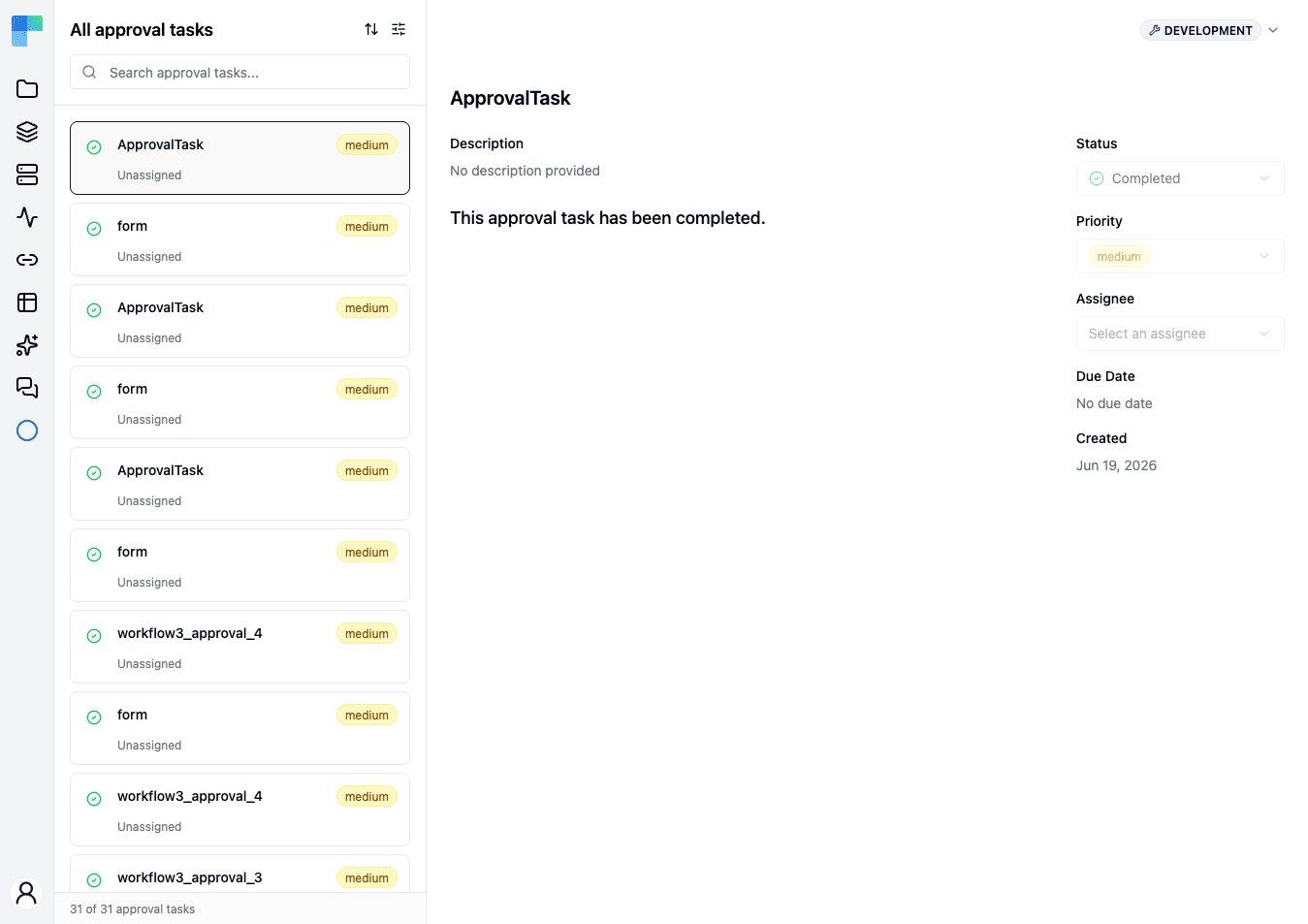
The page is a list beside a detail view, not a table.
On the left, every task is a card showing its status icon, title, priority, and who it is assigned to. Above the list are a search box and controls to sort and filter; the footer keeps a running count, such as 31 of 31 approval tasks, so you can see how much the current filter is hiding.
On the right is the selected task: its title, description, and the message the step raised, with these fields alongside.
| Field | What it does |
|---|---|
| Status | Where the request stands. Change it here to respond. |
| Priority | How urgent the request is - set by the workflow step, editable here. |
| Assignee | Who owns the request. New tasks arrive Unassigned; pick a person to make ownership explicit. |
| Due Date | When the request should be answered by, if the step set one. |
| Created | When the workflow raised the request. |
The list opens filtered to Open tasks. If the page reads No approval tasks found while you expect history, the filter is hiding answered requests rather than the inbox being empty - use Clear filters to see everything.
Scope
The inbox is scoped to one environment at a time - the selector sits in the page header, and switching it changes which requests you see. A request raised by a workflow running in Production does not appear while you are looking at Development.
See also
- Human-in-the-Loop (Approval) - how to add an approval step to a workflow, and the other channels a request can be delivered through.
- Workflow Executions - the run that is waiting on the request, and where it resumes once answered.
How is this guide?
Last updated on