
Notifications
Send an email when a workflow run reaches a given status - create, edit, and delete notification rules.
A notification is a rule that says "when a job reaches this status, tell this address". Each rule names one or more job lifecycle events and one delivery target. When a workflow run hits one of those events, every notification subscribed to it fires.
Settings → Notifications requires the ADMIN authority. Unlike most of the Settings area, the page
is available in both Community and Enterprise Edition.
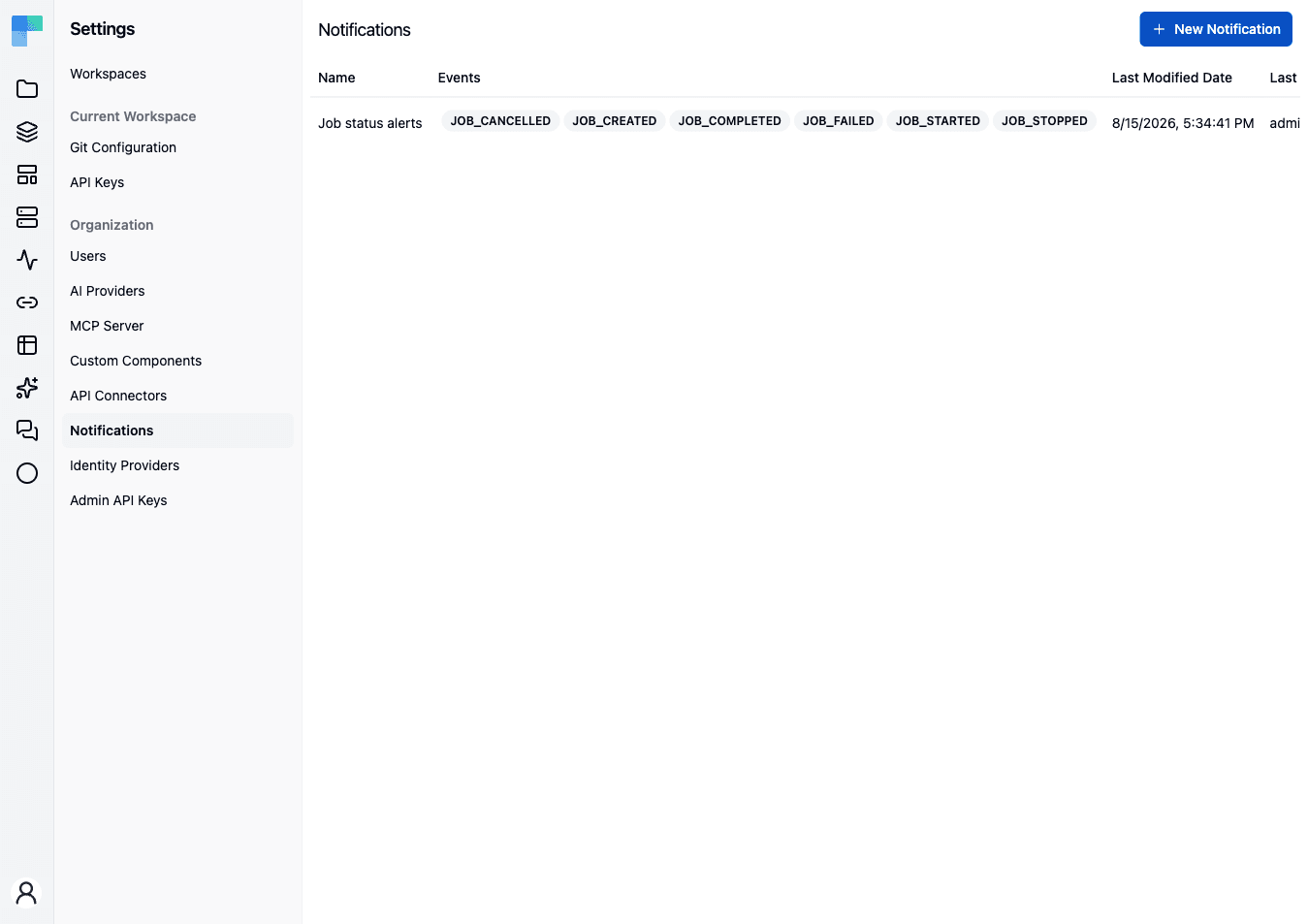
The page
The header reads Notifications, with a New Notification button. With no rules yet, the body shows an empty state titled No Notifications with the message "You do not have any Notifications created yet."
| Column | Description |
|---|---|
| Name | The label you gave the rule. |
| Events | The subscribed events, one badge each. |
| Last Modified Date | When the rule last changed. |
| Last Modified By | Who changed it. |
| Actions | An edit (pencil) and a delete (trash) button. |
Create a notification
- Click New Notification. The Create Notification dialog opens, described as "Define notification parameters."
- Enter a Name - required, up to 256 characters.
- Pick one or more Events from the multi-select. At least one is required.
- Choose a Type.
- Fill in the type's one delivery field.
- Click Save.
Editing works the same way: the pencil icon reopens the dialog, titled Edit Notification, with the current values loaded.
Events
Events are job lifecycle transitions. The full set:
| Event | Fires when |
|---|---|
JOB_CREATED | A run has been created but not started. |
JOB_STARTED | A run has started executing. |
JOB_COMPLETED | A run finished successfully. |
JOB_FAILED | A run failed. |
JOB_CANCELLED | A run was cancelled before it ever started. |
JOB_STOPPED | A run was stopped mid-execution. |
The list is not per-workspace or per-project: a notification subscribes to an event across the whole
deployment. JOB_STOPPED has no email content defined, so subscribing to it records the interest but
sends nothing.
Delivery types
| Type | Field | Notes |
|---|---|---|
| Email - the recipient address. | The default and the only type available out of the box. Requires a mail host to be configured; without one the send is skipped with a warning. | |
| WEBHOOK | Webhook URL | Coming soon. Behind the ff-1132 feature flag, and not functional in the latest released version: selecting it stores the URL, but the webhook transport delivers nothing. |
Coming soon
A Slack delivery type, HMAC signing for webhook payloads, and per-workspace scoping of a notification are on the upcoming release track and are not yet available in the latest released version of ByteChef.
Email subject and body come from the platform's message bundle, parameterised with the workflow's label and the job id. There is no per-notification template.
Delete a notification
Click the delete (trash) icon on the row and confirm in the Delete <name> notification? dialog ("This action cannot be undone."). The rule stops firing immediately; runs already in flight are unaffected.
See also
- Workflow Executions - the run history a notification points you at.
How is this guide?
Last updated on