
Workspaces
Create and manage workspaces - the grouping for projects, connections, data tables, and knowledge bases.
A workspace is the boundary a team works inside. Projects belong to a workspace; so do the connections, data tables, knowledge bases, API keys, and MCP servers those projects use. Two workspaces share nothing, which is what makes them the right unit for separating teams, business units, or tenants.
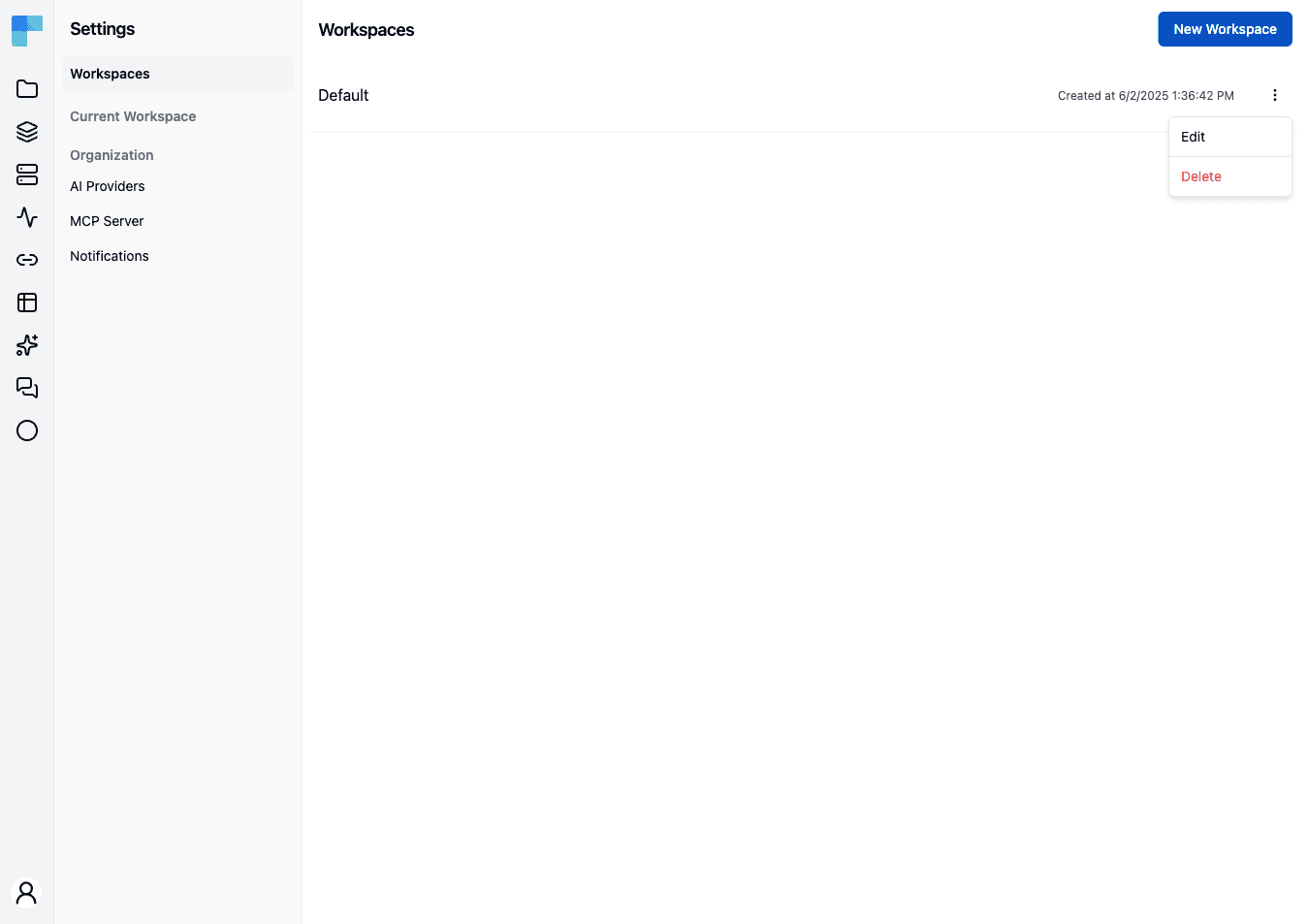
Workspaces are administered from Settings → Workspaces in the Automation area, which requires the organization admin authority.
What a workspace scopes
| Owned by the workspace | Notes |
|---|---|
| Projects and their deployments | Every project belongs to exactly one workspace. |
| Connections | Shared across the workspace's projects rather than owned by one of them. |
| Data tables | Workspace-scoped, so a lookup table is defined once and reused by every project. See Data Tables. |
| Knowledge bases | Workspace-scoped in the same way. See Knowledge Base. |
| API keys | Bound to the workspace and to an environment. See API Keys. |
| MCP servers | Bound to the workspace and to an environment. See MCP Servers. |
| Members and their roles | Managed per workspace. See Workspace Users. |
| Git configuration | One repository per workspace. See Git Configuration. |
| AI guardrails policy | One content policy per workspace. See Guardrails. |
All three environments exist inside every workspace - environments are not a workspace-level choice, and they are not something you model with workspaces.
Settings that are not workspace-scoped: identity providers, the license, and the organization user list are all instance-wide, and the encryption key protecting stored credentials is a single deployment-level key rather than one per workspace.
Create a workspace
- Go to Settings → Workspaces.
- Click New Workspace.
- Enter a Name and an optional Description.
- Save.
The new workspace starts empty.
Edit, manage members, or delete
Each row's ⋮ menu offers:
- Edit - change the name and description.
- Delete - remove the workspace, after a confirmation, because it is not reversible.
Coming soon
A Members entry on the same menu, opening a Workspace Members dialog, plus per-item gating on the workspace Admin and Viewer roles, are on the upcoming release track and are not yet available in the latest released version of ByteChef. Until then the whole page is gated on the organization admin authority and both menu items are open to whoever can reach it.
Workspace or project?
Both group work, but they draw different lines. A project groups workflows that belong to one initiative and is the unit that gets published and deployed. A workspace groups the projects and the shared state around them.
| Situation | Reach for |
|---|---|
| Two teams that should not see each other's work | Separate workspaces |
| One team running several initiatives | Several projects in one workspace |
| Each customer isolated in a multi-tenant deployment | One workspace per tenant |
| Separating Development, Staging, and Production | Neither - use environments |
| Onboarding an acquired team | A new workspace |
The last two rows are the ones worth internalising. Environments already exist inside every workspace, and workflow versions are deployed per environment - modelling stages as separate workspaces loses that, and leaves you copying projects between workspaces by hand.
How is this guide?
Last updated on