
Embedded
Connections
Manage authentication credentials and connection configurations for third-party services.
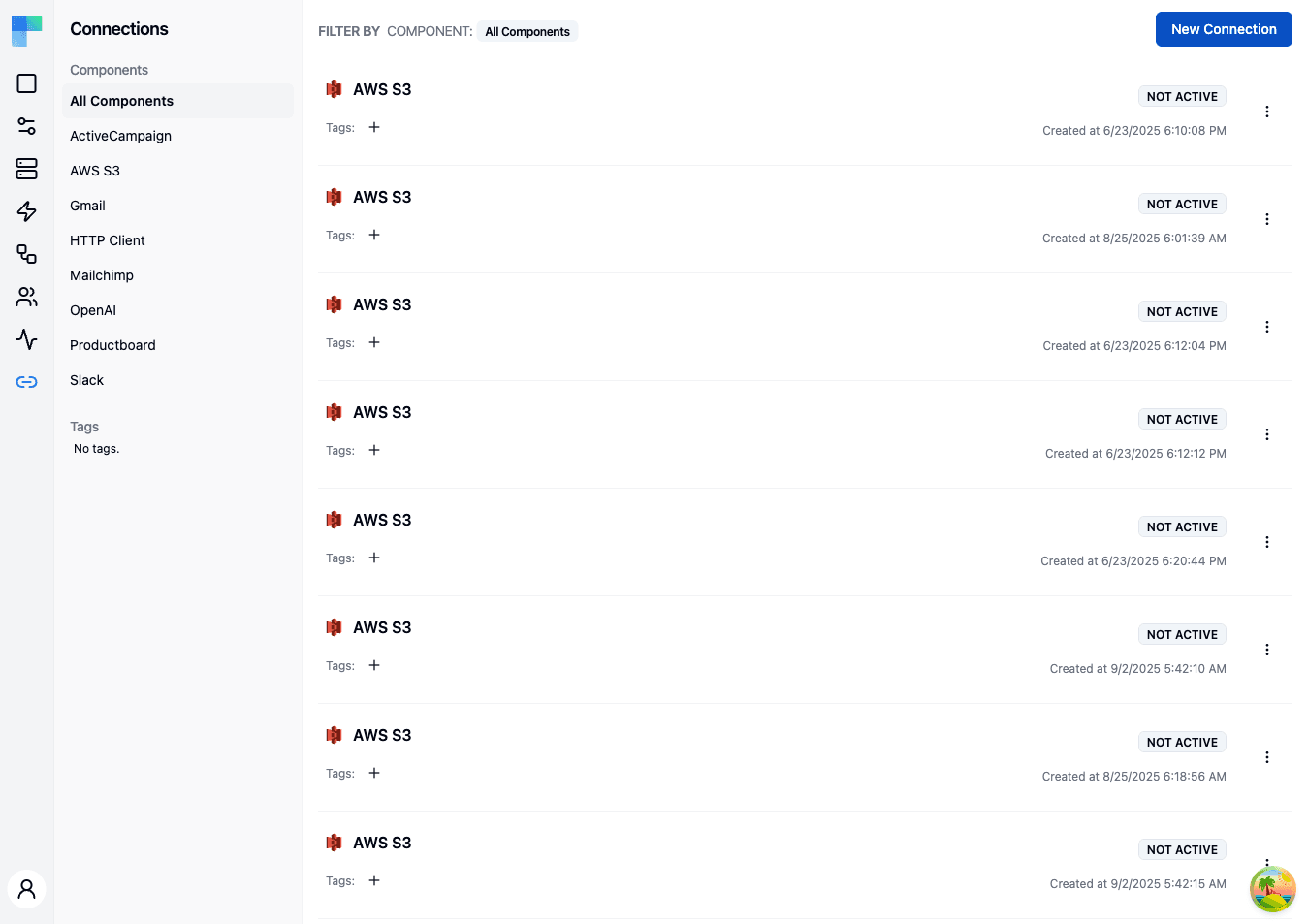
Key Features
| Feature | Description |
|---|---|
| Component filtering | Filter connections by component (third-party service) using the left sidebar. |
| Tag filtering | Organize and filter connections by assigned tags. |
| Environment scoping | Connections are scoped to the current environment (Development, Staging, Production). |
| Status indicator | Each connection shows Active / Not Active when its credential is valid, or the credential status itself (e.g. INVALID) when it is not. |
| Creation date | See when each connection was created. |
Connection Details
Each connection in the list displays:
- Component icon -- the icon of the third-party service.
- Component name -- the name of the connected service (e.g., Gmail, Slack, AWS S3).
- Status -- Active when the credential is valid and something references the connection, Not Active when the credential is valid but nothing uses it yet, or the credential status (e.g.
INVALID) when the credential itself is the problem. - Tags -- assigned tags for organization.
- Creation date -- when the connection was created.
How to Use
Creating a Connection
- Click the New Connection button in the top-right corner.
- Select the component (third-party service) you want to connect to.
- Provide the required authentication credentials (API key, OAuth, etc.).
- Assign tags if desired.
- Click Save to create the connection.
A newly created connection shows Not Active until a workflow, integration instance, or test configuration actually references it - the badge reports usage, not reachability.
Managing Connections
- Edit -- update credentials or tags for an existing connection.
- Delete -- remove a connection. Workflows using this connection will need a replacement.
- Tag -- add or remove tags to organize connections.
Filtering Connections
Use the left sidebar to filter the connection list:
- Components -- the sidebar lists all components that have at least one connection. Click a component name to show only its connections, or select "All Components" to view everything.
- Tags -- click a tag to filter by that tag.
Environment Selection
Connections are scoped to environments. Use the environment selector in the left sidebar header to switch between Development, Staging, and Production. Each environment maintains its own set of connections, allowing you to use different credentials for testing and production.
Connection Status
| Status | Description |
|---|---|
| Active | The credential is valid and at least one workflow, integration instance, or test configuration uses this connection. |
| Not Active | The credential is valid but nothing references the connection yet. |
INVALID (or another credential status) | The stored credential is missing, expired, or was rejected. Edit the connection to re-authorize it. |
How is this guide?
Last updated on