
Subflows
Run one workflow as a step inside another - pass inputs in, get a response back, and reuse logic instead of copying it.
A subflow runs another workflow as a single step of the current one. The workflow it calls is a normal workflow that's been set up to be callable: it declares what data it accepts, does the work, and sends a response back. So a piece of logic you'd otherwise copy into every workflow becomes one reusable building block.
The callable side is two halves of the built-in Workflow component:
| Piece | Type | Role |
|---|---|---|
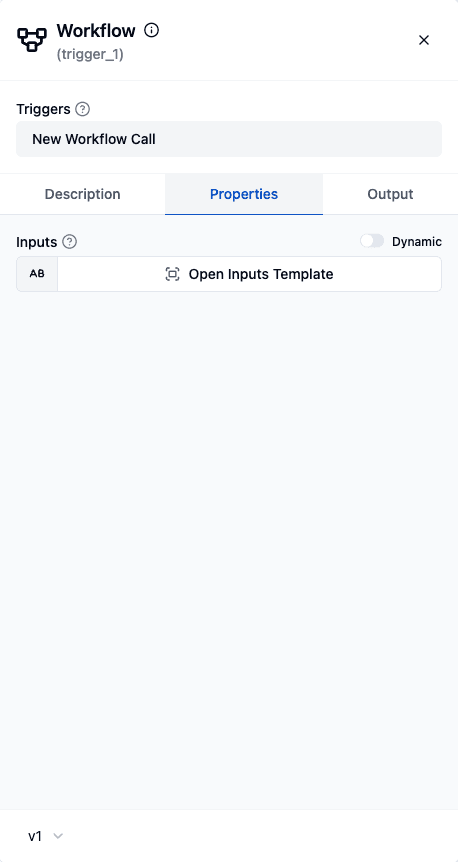
| New Workflow Call | Trigger (workflow/v1/newWorkflowCall) | The entry point. Its input schema declares what the caller must provide. |
| Response to Workflow Call | Action (workflow/v1/responseToWorkflowCall) | The exit point. Its output schema declares what the caller gets back. Must be the last step. |
Think of it as trigger in, response out - the same mental model the API Platform uses for HTTP callers.
Build a callable workflow
- Start with the New Workflow Call trigger. In the trigger's Inputs field, define the input schema - the fields this workflow expects from whoever calls it. Callers must supply data matching this shape, and the fields become available downstream as data pills.
- Do the work. Add any steps you like - components, flow controls, even nested subflows. It's a normal workflow in every other respect.
- End with the Response to Workflow Call action. Define the Output Schema, then fill in the Response data (built from that schema). This is what the caller receives as the step's output. Because it returns to the caller, it must be the workflow's last step.
// The two ends of a callable workflow definition
{
  "name": "newWorkflowCall",
  "type": "workflow/v1/newWorkflowCall",
  "parameters": { "inputSchema": "{ \"customerId\": \"string\" }" }
}
// … your steps …
{
  "name": "responseToWorkflowCall",
  "type": "workflow/v1/responseToWorkflowCall",
  "parameters": {
    "outputSchema": "{ \"score\": \"number\" }",
    "response": { "score": "${computeScore.result}" }
  }
}
Call it from another workflow
Two ways to invoke a callable workflow:
- Subflow flow control - add a Subflow step, pick the target workflow, and map the inputs. Its output (the Response data) is available to the rest of the parent workflow, exactly like any other step's output.
- Call Workflow tool - the Workflow component also exposes a cluster element so an AI agent can invoke a callable workflow as a tool, choosing the inputs itself.
How it runs
A subflow runs as an isolated child job owned by the parent's Subflow step - the parent launches it directly through the workflow engine. A few practical consequences worth understanding:
- No external trigger fires. The New Workflow Call trigger is the declared interface (it defines the input schema), not an event source. Nothing polls, no webhook is hit - the parent invokes the child programmatically. So a callable workflow doesn't need - and shouldn't rely on - a webhook or schedule trigger to be reachable as a subflow.
- Inputs and outputs are the whole contract. The caller provides data matching the New Workflow Call input schema; it reads back exactly the Response to Workflow Call output. Nothing else crosses the boundary.
- Suspend/resume works across the boundary. A child job can pause (for an approval, a human-in-the-loop question, or an agent step) and resume without breaking the parent - the parent's Subflow step waits for the child to complete.
If you want the same workflow to also run on its own - say, on a schedule or from a webhook - give it that trigger separately. Being callable as a subflow is independent of, and doesn't conflict with, having a normal trigger for standalone runs.
Reference
- Subflow flow control - the step that invokes a callable workflow, with its
workflowUuid/inputsproperties. - Workflow component - the New Workflow Call trigger and Response to Workflow Call action, with their properties.
- API Platform - the same trigger-in/response-out model, exposed to HTTP callers instead of parent workflows.
How is this guide?
Last updated on